Checkout with Confidence
Payment Security Guaranteed
Return with Ease
Fast & Hassle-Free Process
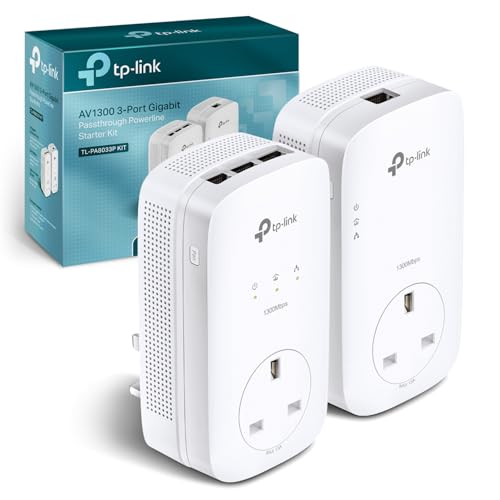
This product — MERCUSYS MP500 KIT Powerline Adapter Kit, AV1000 Gigabit TP-Link Powerline Network Adapters, HomePlug AV2 Ethernet Over Power, Up to 1000Mbps, 300m Range, Wired Network Extender for Home, Gaming
Refer to the product listing for full specifications and care instructions. Check compatibility before purchase.
MERCUSYS MP500 Powerline Adapter Kit, AV1000, 1000Mbps, 300m Range, Wired Network Extender
Key Takeaway
Transform your home internet experience with this Powerline Adapter Kit, designed to deliver a reliable wired network connection through your existing electrical wiring. Priced at just £34.95, it offers speeds of up to 1000Mbps and a range of 300 meters, making it ideal for gamers and streaming enthusiasts who need a stable connection throughout their home. Say goodbye to dead zones and enjoy seamless online activities with ease!
Frequently Asked Questions
What is MERCUSYS MP500 KIT?
The MERCUSYS MP500 KIT is a Powerline Adapter Kit that utilizes your home's electrical wiring to extend your internet connection. It supports AV1000 technology, allowing for data transfer speeds of up to 1000Mbps.
How much does MERCUSYS MP500 KIT cost?
The MERCUSYS MP500 KIT is priced at £34.95. This affordable price offers great value for users looking to enhance their home network without extensive wiring.
What are the key features of MERCUSYS MP500 KIT?
Key features of the MERCUSYS MP500 KIT include a 300m range, Gigabit Ethernet ports for wired connections, and compatibility with HomePlug AV2 technology. It also provides a simple plug-and-play setup for easy installation.
Who is MERCUSYS MP500 KIT best for?
The MERCUSYS MP500 KIT is ideal for gamers, streaming enthusiasts, and anyone needing a reliable internet connection in larger homes. It is perfect for users who want to eliminate dead zones and improve connectivity without running new cables.
How do I use/care for MERCUSYS MP500 KIT?
To use the MERCUSYS MP500 KIT, simply plug one adapter into a power outlet near your router and connect it via Ethernet, then plug the second adapter in any room to extend the network. For optimal performance, avoid plugging the adapters into power strips or surge protectors.
Fast Delivery
Quick & reliable shipping
Secure Shopping
100% secure transactions
Great Prices
Competitive deals daily
Expert Support
Here to help you choose
More Products You Might Like from powerlinenetworking
View AllPlease Note: When you order through these links, we may earn a commission at no additional cost to you.